Introduction
Smartwatches have become an everyday essential—tracking steps, monitoring heart rate, nudging you to move, and even keeping an eye on your stress levels. With so many wellness features packed into a tiny device, it’s natural to wonder: Can wearing a smartwatch actually disrupt your sleep?
Many people sleep with their watch on for convenience or to track sleep cycles, but emerging research reveals that the story is a bit more complex. While these devices can be incredibly useful, they also come with potential drawbacks that many users overlook.
Let’s take a deeper look at what science currently says about smartwatches and sleep—and how to decide what’s best for your nighttime routine.
Why People Wear Smartwatches to Bed
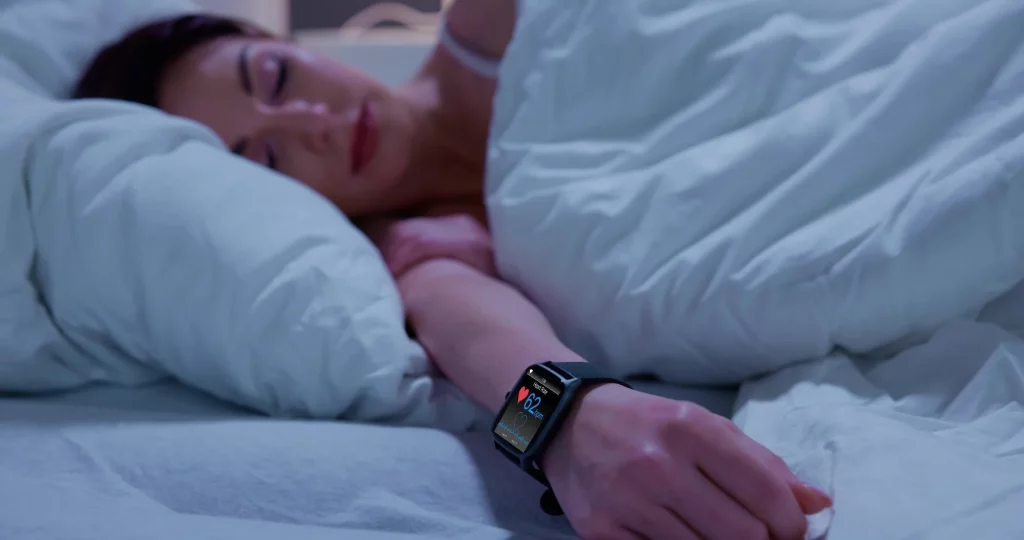
Before diving into the risks, it helps to understand why so many people keep their wearable on at night. Smartwatches can provide:
- Sleep duration tracking
- REM and deep sleep estimates
- Heart-rate monitoring
- SpO₂ (oxygen saturation) readings
- Snoring detection
- Stress and recovery insights
This data can be helpful, especially for users trying to improve sleep habits. However, wearing tech near your body all night can also introduce certain challenges.
Can Smartwatches Interfere With Your Sleep?
While smartwatches don’t directly stop you from sleeping, they can influence your sleep quality in subtle but meaningful ways. Here’s what current research and user reports reveal:
1. Bluetooth and EMF Exposure May Affect Light Sleepers
Smartwatches constantly communicate with your phone via Bluetooth. Although the radiation levels are low, some studies suggest that prolonged exposure to EMFs (electromagnetic fields)—especially at night—may affect:
- Brain-wave activity
- Light sleep stages
- Melatonin production in sensitive individuals
This impact isn’t universal, but people who are already light sleepers or sensitive to environmental factors may notice disturbances.
2. Notifications and Haptic Alerts Can Trigger Micro-Arousals
Even if you silence your phone, your smartwatch might still:
- Vibrate for notifications
- Buzz for reminders
- Send movement alerts
- Measure metrics using light sensors
These micro-interruptions may not fully wake you up, but they can disturb deep and REM sleep—two stages crucial for recovery and memory consolidation.
Many users don’t recall waking up, yet still feel tired the next morning. Often, nighttime notifications were the hidden culprit.
3. The Green LED Sensor Light Can Disrupt Dark Sleep Environments
Smartwatches use green optical sensors to measure heart rate. These lights pulse periodically—even during the night.
For sensitive sleepers or those who keep their room completely dark, this glow can be enough to:
- Interrupt relaxation
- Pull the brain out of deep sleep
- Create mild sensory irritation
While it seems small, sleep science shows that even tiny light exposures can impact sleep quality.
4. Over-Monitoring Sleep Can Cause “Sleep Anxiety”
This is something researchers call orthosomnia—the obsession with achieving perfect sleep metrics.
When people track their sleep every night, they often:
- Worry about scores
- Stress over inaccuracies
- Try too hard to sleep “better”
- Become more alert rather than relaxed
This hyperfocus can backfire, making sleep quality worse. Smartwatches offer estimates, not exact medical data, but many users take the numbers far too seriously.
5. Wrist Discomfort Can Affect Natural Sleep Positioning
A smartwatch may seem light during the day, but at night the constant presence on your wrist can:
- Apply pressure
- Trap sweat
- Cause mild irritation
- Make it uncomfortable to sleep on your side
- Interfere with natural wrist movement
Even minor discomfort can lead to tossing and turning, reducing sleep continuity.
6. Battery Heat or Overheating Sensors Can Create Warmth
Some devices warm up slightly during:
- Continuous heart-rate monitoring
- SpO₂ measurement
- All-night tracking functions
This warmth is usually harmless, but for some people, increased heat can interrupt comfort and sleep depth.
So… Is It Bad to Wear Your Smartwatch at Night?
Not necessarily. The impact varies from person to person.
Some users experience no issues at all, while others notice:
- More frequent waking
- Feeling less rested
- Trouble falling back asleep
- Reduced deep sleep percentages
- Heightened nighttime awareness
Your own sensitivity plays the biggest role.
How to Wear Your Smartwatch Without Disrupting Sleep
If you rely on your device for health data but don’t want it interfering with your sleep, here are practical adjustments:
1. Use “Theatre Mode” or “Do Not Disturb”
This disables vibrations, notifications, and screen wake-ups.
2. Turn Off 24-Hour Heart Rate or SpO₂ Tracking
If not necessary, switch these features off at night to reduce LED flashes.
3. Loosen the Strap Slightly
A tight band can cause micro-irritation.
4. Keep the Watch Away From Your Face
Sleeping with your hand under your head or pillow increases EMF exposure near your brain.
5. Avoid Sleep Tracking Every Night
Give yourself breaks to reduce sleep-related stress or over-analysis.
6. Charge the Watch Overnight Instead
If sleep data isn’t essential, this is often the most comfortable option.
Who Should Avoid Wearing a Smartwatch to Bed?
You may want to skip nighttime usage if you are:
- A light or easily disturbed sleeper
- Sensitive to EMFs or LED lights
- Prone to anxiety around sleep metrics
- Experiencing nighttime wrist discomfort
- Already struggling with insomnia
For these individuals, removing the watch can noticeably improve sleep quality.
Also Read: Best Winter Foods in India for Immunity: What to Eat Daily
Final Thoughts
Smartwatches offer helpful insights into sleep patterns, but they’re not perfect—and they can sometimes do more harm than good. The key is finding a balance.
If you feel more rested, informed, and in control when you track your sleep, wearing your smartwatch at night might be right for you. But if you sense more tension, disrupted rest, or unnecessary stress, removing it before bed could make your sleep deeper and more refreshing.
Ultimately, good sleep depends more on your habits than your hardware—and understanding how your device affects you personally will help you make the best choice.